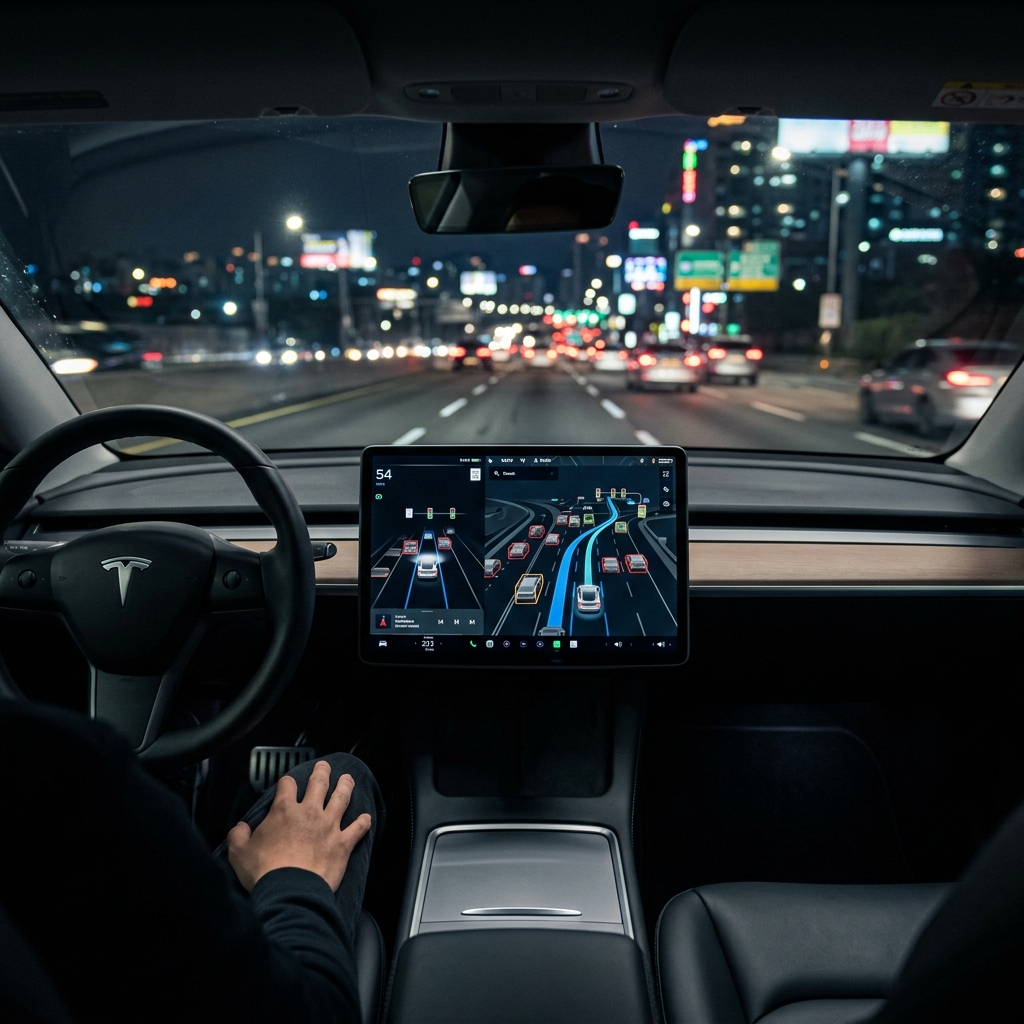
When you take delivery of a new Tesla Model 3, Model Y, Model S, Model X, or Cybertruck using a referral link, you unlock one of the most sophisticated pieces of consumer technology on the planet: a three-month trial of Full Self-Driving (Supervised).
With the rollout of Tesla’s groundbreaking FSD v12 architecture—and its subsequent v12.5+ iterations—the software has transitioned from a rigid, heuristics-based C++ codebase to an elegant, end-to-end neural network. The vehicle now “sees” and “decides” using artificial intelligence trained on millions of miles of video clips, mimicking human intuition rather than strict, hard-coded rules.
However, a 90-day clock starts ticking the moment you accept delivery. To help you squeeze every ounce of value out of this premium trial, we have compiled a highly technical, practical guide to configuring, calibrating, and testing FSD (Supervised) like an industry insider.
1. The First 50 Miles: Forced Camera Calibration Hacks
Before your Tesla can execute its first autonomous lane change or navigate a complex roundabout, its multi-camera suite must undergo calibration. This process allows the onboard Autopilot computer (Hardware 3 or Hardware 4/AI4) to calculate the exact pitch, yaw, and roll angles of each camera relative to the vehicle’s chassis.
While calibration occurs automatically over your first few dozen miles, a haphazard driving environment can delay the process or result in sub-optimal sensor alignment, leading to conservative driving behaviors, phantom braking, or sluggish lane changes later on.
The Rapid Calibration Routine
To calibrate your cameras in record time and ensure maximum precision:
- Select the Right Environment: Avoid winding country roads, stop-and-go city traffic, or poorly marked rural lanes. Instead, head straight for a multi-lane highway with highly visible, painted lane markers.
- Drive in Bright, Overcast, or Clear Daylight: Avoid calibrating at dusk, dawn, or during heavy precipitation. The neural net requires high-contrast visual inputs to map pixel coordinates to real-world dimensions.
- Maintain Steady Speeds: Engage manual cruise control or drive at a consistent highway speed (between 50 and 70 mph). The calibration algorithm relies on optical flow—the pattern of apparent motion of objects in a visual scene—which stabilizes at consistent velocities.
- The “Reset” Hack: If your calibration progress bar (visible in the Autopilot menu) gets stuck at 99%, or if you notice the vehicle hugging one side of the lane after calibration completes, navigate to Controls > Service > Camera Calibration > Clear Calibration. This forces a clean slate. Recalibrating on a perfectly flat, well-marked freeway will often instantly cure minor steering biases.
2. Configuring Your FSD Profiles: Chill vs. Standard vs. Assertive
Once calibration is complete and the blue steering wheel icon appears on your display, you must configure your FSD Profile. Under the hood, these profiles alter the neural network’s decision-making thresholds, specifically adjusting safety margins, acceleration curves, and lane-change frequencies.
Understanding these profiles is key to matching the car’s behavior to your regional driving culture.
FSD Profile Behaviors
| FSD Profile | Follow Distance Margin | Lane Change Urgency | Yellow Light Behavior |
|---|---|---|---|
| Chill | Maximum (Conserves energy, gentle stops) | Very Low (Stays in slow lane unless necessary) | Conservative (Prone to early stopping) |
| Standard | Moderate (Standard safety gap) | Balanced (Changes lanes to maintain speed limit) | Dynamic (Evaluates stopping distance vs. comfort) |
| Assertive | Minimum (Tight, defensive driving gap) | High (Actively bypasses slower traffic) | Decisive (Will proceed if stopping requires heavy braking) |
The “Minimal Lane Changes” Pro-Tip
On long road trips, FSD’s desire to optimize your speed can sometimes lead to unnecessary lane changes. If you prefer to settle into a single lane and cruise, you can toggle “Minimal Lane Changes for Current Drive” in the quick settings menu (accessible by pulling down on the right steering column stalk or tapping the FSD icon on the touchscreen).
Note: This setting resets at the beginning of every drive cycle to prioritize safety and flow-of-traffic standards.
3. Designing the Ultimate FSD Road Trip: Testing the Limits Safely
A three-month trial is the perfect excuse to plan a long-distance road trip. Highway driving is where FSD (Supervised) shines brightest, dramatically reducing driver fatigue by managing steering, speed, and navigation routing.
Navigating Complex Interchanges
To truly appreciate the power of end-to-end neural networks, map a route that includes a Diverging Diamond Interchange (DDI) or a multi-lane roundabout. Unlike older software versions that struggled with non-standard lane markings, FSD v12 utilizes visual spatial intelligence to navigate these complex geometries naturally, tracking the trajectory of surrounding vehicles to negotiate right-of-way.
[Vehicle Sensors] ---> [Occupancy Network (3D Voxels)] ---> [Path Planning Neural Net] ---> [Smooth Actuator Control]Managing the Driver Monitoring System (DMS)
Tesla has significantly tightened its cabin-camera-based driver monitoring to prevent misuse. To avoid receiving “Autopilot Strikes” (where five strikes result in a one-week suspension of the system), adhere to these practices:
- Keep Your Eyes on the Road: The cabin camera, located above the rearview mirror, tracks your gaze vector and head angle. Looking down at your phone or focusing on the center touchscreen for more than a few consecutive seconds will trigger an audible warning.
- Keep Torque on the Wheel: Even if the cabin camera is satisfied, the steering column requires micro-torques to confirm hands-on-wheel presence. Rest one hand comfortably at the 4 o’clock or 8 o’clock position; the natural weight of your arm is usually sufficient to satisfy the torque sensor.
- Night Driving Prep: Ensure your cabin’s ambient lighting doesn’t blind the interior infrared camera, which allows the DMS to track your eyes even in pitch-black conditions.
4. Understanding FSD Telemetry and the Strike System
Tesla’s FSD (Supervised) operates under a strict safety framework. Understanding how the vehicle logs interventions and manages its strike system will ensure you don’t lose access to your trial prematurely.
- Forced Takeovers: If you manually override the steering wheel while FSD is active without first canceling it via the stalk or brake pedal, the system will disengage. Do this too abruptly or at high speeds, and it may log an “Improper Disengagement.”
- The Strike Threshold: Accumulating five “Autopilot Strikes” will lock you out of FSD for one week. A strike is issued when the vehicle detects prolonged driver inattentiveness despite visual and audible warnings, or if you exceed 85 mph while FSD is engaged.
- Automatic Strike Reset: Under recent software builds, strikes automatically decay and clear from your driving record after a rolling 7-day period of strike-free driving.
Harnessing the Future of Autonomy
Your 3-month FSD referral trial offers a fascinating window into the future of autonomous transport. By calibrating your cameras correctly on day one, choosing the right driving profiles for your commute, and understanding the nuances of the cabin monitoring system, you can safely enjoy one of the most advanced software suites in automotive history.
Editor’s Resource
If you are planning to purchase a new Tesla vehicle or home energy system, order through our official referral link (https://ts.la/mate59032) before checkout to unlock current buyer benefits (typically 3 months of Full Self-Driving (Supervised) on eligible vehicles, or about $400 off qualifying Solar). Referrals are not retroactive.
Related: Cybertruck referral · How to use a Tesla referral code · Tesla referral code 2026
Ordering a new Tesla or Energy System?
Use referral code mate59032 at checkout to unlock current buyer benefits—typically a Full Self-Driving trial or Solar discount. Apply the link before you order.